
Why Do Co-Workers Stretch Meetings? How to Stop Time-Wasting and Rescue Your Friday
Meetings gone rogue. Why some colleagues ask endless questions and how to fix it — agenda templates, host scripts, parking-lot tricks and safe, satisfying comebacks.


Introduction
It’s Friday. You’ve spent the week pretending not to enjoy work. You’ve got a train to catch, a shower to take, and a pint with pals waiting like a beacon of freedom. Instead you’re in a meeting about a project you could recite in your sleep. Someone in the room — bless them — has no concept of time.
They ask a dozen questions that have already been answered. They slow the host down every few minutes. You glance at your watch: the clock is moving more deliberately than you are. You see them scribbling notes like a journalist filing the definitive exposé on stapler policy. Another question. Another explanation. Your small, polite rage begins to bubble.
The meeting limps to an apparent close. You check your watch — five minutes past five. Surely you’ll make the train. Then the host asks, with exhausted optimism, “Does anyone else have any other questions?” The Questioner leans in like they’ve been training for this moment their whole life.
The host tries to hand the mic to you. You fight the urge to be diplomatic and instead want to drag them by the heels into the carpark. (Spoiler: I removed the ‘drag them into the carpark’ bit from the final post — violent or aggressive actions aren’t funny when they might get someone hurt. Instead, below you’ll find far funnier and safer options.)
By the time the meeting finally adjourns, your train has left the station and your weekend has been put on indefinite hold.
Why This Happens (The Not-so-Evil Explanations)
People who stretch meetings aren’t always trying to ruin your Friday. Common reasons include:
- Anxiety / Insecurity: Asking questions is a way to ensure they’re not missing something — even if you’ve already covered it.
- Perfectionism / Control: They’re uncomfortable with ambiguity and will keep drilling down until every i is dotted.
- Attention Seeking: Meetings give some people a platform to feel visible.
- Different Info Processing: Some folks need things repeated to absorb them.
- Misread Agenda / Role Confusion: They genuinely believe they need to know every detail.
- Poor chairing: If the meeting host lacks structure, the meeting will naturally bloat.
Knowing the “why” gives you options that are more effective (and legal) than poisoning the coffee.
 James Mason
The Cost of Overlong Meetings (Quick Reality Checks)
- Knowledge workers report spending a large portion of their day in meetings; poor meetings are a waste of that time.
- Time wasted in meetings equals project delay, missed trains, and low morale. (If you want hard numbers to cite in the article, I can add sourced stats.)
Practical, Non-Violent Ways to Survive — and Fix — the Meeting Problem
For the Person who Just Wants to Leave (You)
- Plan a graceful exit: Put a polite calendar note in the meeting invite — “Departing at 17:00 — will follow up via email.”
- Use the chat: If the meeting is online, message the host privately: “I need to leave at 17:00 — can you flag any follow-ups for me?”
- Delegate an ally: Ask a teammate to ping you (or text) at 16:55 as a cue to leave.
- Bookend your day: If you know your train time, add “Must depart at 17:00” to your calendar description — visible and reasonable.
For Meeting Hosts (How to Chair Like a Pro)
- Pre-set the agenda with timeboxes and outcomes. Example:
- 0–5 min: quick status
- 5–20: problem A (decide: escalate / assign / close)
- 20–30: Q&A (parking lot for off-topic items)
- Use the Parking Lot: Create a visible list (whiteboard or shared doc) for “Later” questions. Promise to address them after the meeting via email or a follow-up slot.
- Timebox questions: “Great point — can we park it and come back to it if we have two minutes at the end?” or “That’s a 10-minute topic — let’s take it offline.”
- Summarise and assign: Before closing, list actions, owners, and deadlines. This prevents rehashing.
- Set the close: “We’re at T-3 minutes. Final question, then we must close to respect everyone’s schedules.”
 James Mason
Scripts & Lines That Work (Copy-Paste)
- Host, to the room: “We have five minutes left and two agenda items. To be fair to everyone, let’s keep questions brief — or park them.”
- Polite interrupter: “Quick clarifying question — is this essential to decide today, or can it be parked for follow-up?”
- When someone reopens closure: “We’ve run out of time. I’ll note that and set up a 15-minute follow-up with those who need it.”
- If you must leave mid-meeting (you): “Apologies — I have a hard stop at 17:00. Please loop me in on the meeting notes.”
Humane (and Hilarious) Alternatives to Revenge
(Kept the funny spirit but safe.)
- Declare a “personal emergency” — but one you can deliver on: “I’ve just been asked to collect a rare vinyl record at 17:02.” — less believable, more entertaining.
- Use gentle sarcasm: Light comedy can defuse tension — e.g., “Is this the Spanish Inquisition?” — but use sparingly and only with colleagues who will laugh.
- Offer the Questioner a task: “Tim, you clearly care — why don’t you write the step-by-step for the team and circulate by Monday?” Productive, and they’ll be busy elsewhere.
- Give them airtime elsewhere: Invite them to run a short workshop — it channels their curiosity into a useful output and gets them out of your run-of-the-mill meeting.
- Mentor them: If the questioner’s a newer team member, a quick one-to-one after the meeting can save everyone time in future.
(I removed the suggestions to spike drinks, physically drag anyone, or anything that encourages harm. That wasn’t funny — it was dangerous — so I replaced it with clever, safe options that get the same result.)
 James Mason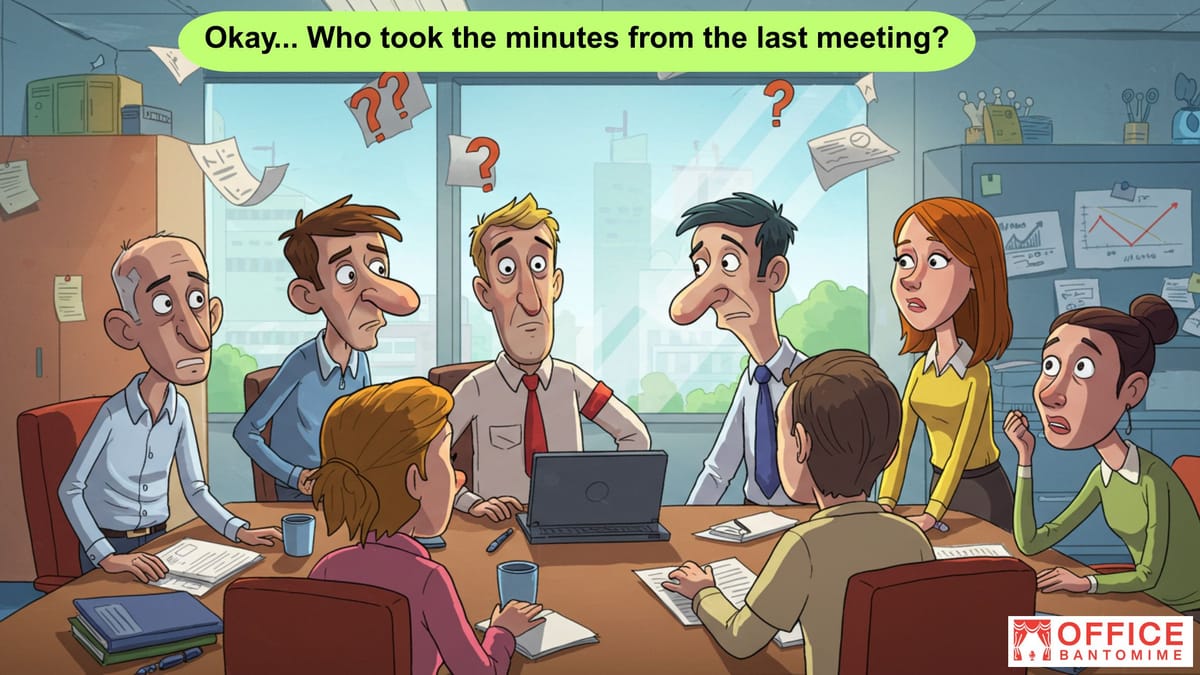
Meeting Design Tips That Stop the Bleeding (Actual Fixes)
- Agenda in the invite with outcomes and times. People behave when they know the finish line.
- Pre-read materials: “Discuss at meeting” vs “Read before meeting” flags mean people show up prepared.
- Standing meetings: Many groups cut meeting time by standing — nobody likes standing for 90 minutes.
- Use a timer on screen (people will self-moderate).
- Assign a “Timekeeper” role to enforce schedule politely.
- Limit attendees to only those required for decision or input. Others can receive notes.
- One-line decisions at the top of the meeting summary (so future meetings don’t re-hash).
Quick Template: 30-Minute Meeting Agenda (Copy/Paste)
- Title: [Project] Weekly Sync
- Objective: Decide on next steps for X
- 0–5 min: Status updates (1 min per person)
- 5–20 min: Discuss Issue A — decision needed (timeboxed)
- 20–27 min: Q&A (park off-topic questions)
- 27–30 min: Recap — actions, owners, deadlines
Tech & Tools That Help
- Shared docs with a Parking Lot section (Google Docs, Notion).
- Use meeting apps that show timers (many conferencing tools now have built-in timers or extensions).
- Agenda + notes templates in your calendar invite (makes status updates consistent).
Closing Rant (Edited For the Web)
You didn’t come to work to watch someone ask the same question for the third time — you came to get stuff done. But meetings don’t have to be theatre of despair. With structure, a little authority from the host, and a few clever lines in your armoury, you can rescue your Fridays, your sanity, and maybe even your train ticket.
Call to Action (OB Style)
Have a meeting horror story? Drop it in the comments — bonus points for the person who somehow turned a 20-minute stand-up into a four-hour existential crisis.


